


1
Open our editable gift certificate template
Start with a blank gift certificate.
Need to make a gift card for your store or business? You can easily fill out our gift certificate template and have yours ready to print in minutes.
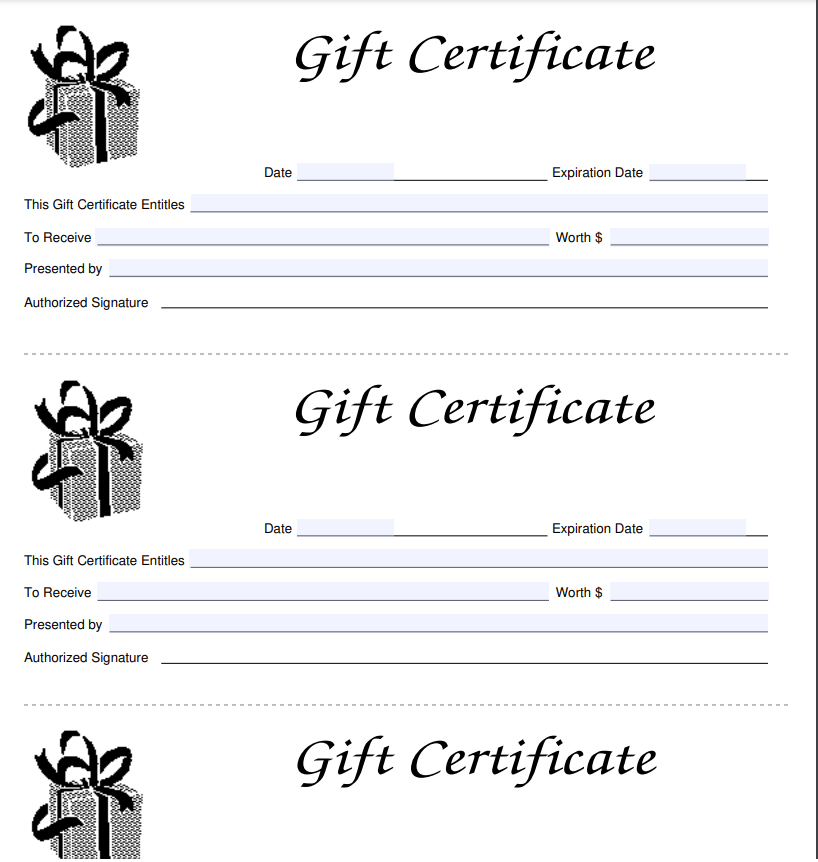 Click to start filling
 Start with a blank gift certificate.
Add the value, message, and business information.
Save a printable gift certificate to share or print.
The official template, not an outdated copy.
Sign on screen — skip the print-and-scan loop.
TIN spacing and dates format as you type.
Download the PDF; we don't keep a copy.
A gift certificate template helps you create prepaid certificates for products, services, or experiences. It normally includes the value, business details, redemption terms, and a unique certificate code. Our editable gift certificate template makes it easy to customize and download your design without professional software.
You may want to use a gift card template if you are:
I bring on ten to fifteen contractors a month and used to chase every one of them for a legible form. Now I send this link in the offer email and the signed PDF comes back the same day.
Half our vendors used to send forms as phone photos that finance refused to file. Pointing them here fixed it. The layout matches the official document and nothing gets cut off when it downloads.
What sold me is that the data isn't stored anywhere and the file downloads straight to the signer's machine. I can ask a client to complete one without worrying about where their details end up.
January used to mean tracking down paperwork from every subcontractor. This year I sent one link to the whole roster and had every form back inside a week.
New clients always want a fresh copy and I never have last year's handy. Filling it out here is faster than digging up the PDF, and the fields space themselves so I stop transposing digits.
I keep this bookmarked for the client who calls saying they need a form right now. I walk them through it on the phone in a couple of minutes — open, type, sign, download.
Most form questions come down to one confusing field. Ask in plain language and get an answer grounded in the official instructions, with an example for your situation.
Help for every box on the form
No tax jargon, real examples
Questions aren't tied to your form
Answers track the official form instructions — not generic web advice. When the form has a quirk, it explains it the way the instructions intend.
It explains what each box means and how people in your situation usually complete it. For a judgment call about your specific taxes, it'll point you to a professional rather than guess.
Review these common questions to understand how to create, customize, print, and share a gift certificate.
Offering your clients a gift card can bring new customers to your business. For example, if you have a client who already enjoys your goods or services, they can buy a gift card for someone who they think would like it too. It also gives customers more ways to pay, increasing convenience.
Once you have used our platform's editable gift certificate template, simply download the finished PDF and attach it to an email.
You can decide what you want to include on your gift certificates. Generally, you should include the following elements: The name of your Value of the certificate Unique code Issue date Redemption instructions Contact details
You can print our gift card template with any modern printer, the same way you would print any other document. You can choose to print it in either black and white or in color.
Generally, a PDF is the best format. This can easily be shared or printed, and cannot be as easily edited as a Word doc.
Yes, our fully online gift certificate maker allows you to fully customize your gift certificate. You can change the price, add your business details, and customize the design of the finished doc. Our in-browser platform is simple to use, so you can make your own gift cards in a few moments.
You can make your gift card as big or small as you like. You can use a full size standard sheet that fits your printer, or make it smaller. It’s up to you and what you think would be best for your business.
You can easily upload your logo and change the colors of the card with our platform’s gift certificate template. It’s fully customizable, so you can make it perfectly fit your brand.
You can include this if you want, but it’s not really necessary. If you’re going to send the gift certificates by mail, it’s a nice touch, but you do not need this at all if you’re only going to email them.
You can customize your gift certificates for holidays or seasonal promotions by changing the text and colors of the certificate. You can also add special images that reference the event or holiday.
You can reuse the gift certificate design as often as you need. However, make sure you update the details every time you send it to a customer, including the value and unique code.
It’s best to keep the message short and personal. If you know the person very well, you can make it a bit longer. You can easily add this text using our online gift certificate maker.
Yes, you can use your gift certificates for whatever you like. Make sure that you clearly advertise the value of the gift card correctly, so that people who enter the raffle know exactly what they can win.
There is really no standard “best” color palette to use. It depends on the aesthetics of your business and your own personal taste. Think about what would look most appealing to your clients, and go with that. You could also carry out a survey: ask customers and colleagues what colors they think look best for a high-value gift certificate.
You can promote gift certificates in your store with posters and flyers. You can also let customers know they’re available by telling them directly. Advertising that you offer gift certificates on your social media channels is also a great idea to help get the word out.
You can really offer any type of service with a gift certificate. They’re suitable for any type of business, from beauty treatments or fitness training to hospitality.